How to Add Your KachiPlug Virtual Card to Apple Wallet for Contactless Payments in Nigeria (2026)
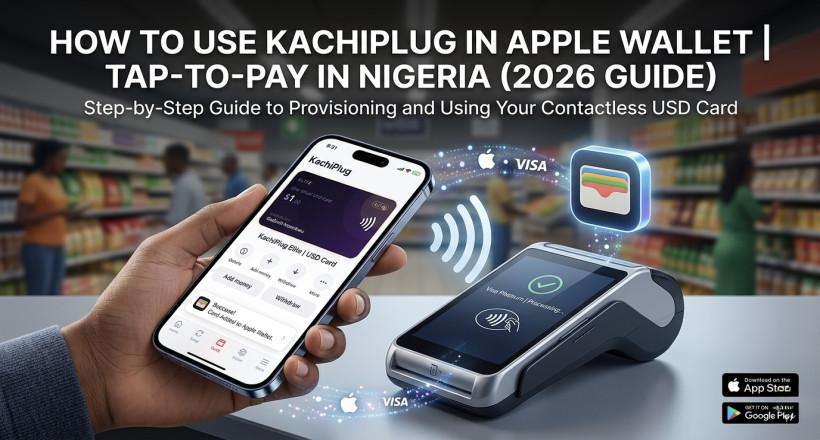
Apple Wallet isn't just for iPhones in the US or UK anymore. In 2026, Nigerians can add a KachiPlug contactless virtual USD card directly to the Apple Wallet app and tap to pay at any NFC-enabled terminal — in Nigeria, abroad, or online. This guide walks you through the exact steps, what you need, and what to expect.
What You Need Before You Start
- An iPhone running iOS 14 or later
- A KachiPlug contactless virtual USD card (not the standard virtual card — you need the contactless version)
- The myKachiPlug app installed on your phone
- A funded card balance (minimum $1)
Don't have the app yet? Download it free: iOS App Store · Google Play
Standard Virtual Card vs Contactless Virtual Card — What's the Difference?
| Feature |
KachiPlug Standard Virtual Card |
KachiPlug Contactless Virtual Card |
| Online payments | Yes | Yes |
| Apple Wallet / Apple Pay | No | Yes |
| Google Wallet | No | Yes |
| Tap-to-pay at NFC terminals | No | Yes |
| Subscription payments (Netflix, Spotify) | Yes | Yes |
| Meta ads, Shopify, AWS | Yes | Yes |
Step-by-Step: How to Add Your KachiPlug Card to Apple Wallet
Step 1 — Get Your KachiPlug Contactless Virtual Card
- Open the myKachiPlug app.
- Tap Cards from the bottom navigation.
- Select Elite Virtual USD Card.
- Follow the prompts to create your card.
- Fund the card with naira — the app converts to USD at the live rate.
Step 2 — Add the Card to Apple Wallet
- Open the Wallet app on your iPhone (the green icon).
- Tap the + button in the top right corner.
- Select Debit or Credit Card.
- Tap Continue.
- Either scan your KachiPlug card or enter the details manually (card number, expiry, CVV).
- Agree to the terms and complete verification.
- Your KachiPlug card is now live in Apple Wallet.
Step 3 — Make Your First Tap-to-Pay
- At any NFC-enabled terminal (look for the contactless symbol), double-click your iPhone side button.
- Authenticate with Face ID or Touch ID.
- Hold your phone near the terminal.
- Payment confirmed. Done.
Where Can You Tap to Pay With Your KachiPlug Card in Nigeria?
| Location Type | NFC Available? | Examples |
|---|
| Supermarkets & malls | Yes | Shoprite, Spar, Chicken Republic POS terminals |
| Fuel stations | Increasingly yes | Major chain fuel stations |
| Restaurants & cafes | Yes (higher-end) | KFC, Domino's, Cold Stone |
| International travel | Yes (everywhere) | Airports, hotels, shops in Europe, US, UAE |
| Online payments | Yes (always) | Apple Store, Amazon, Shopify, Meta, Netflix |
Frequently Asked Questions
Can a virtual card be added to Apple Wallet in Nigeria?
Yes — but only a contactless-enabled virtual card can. KachiPlug's contactless virtual USD card supports Apple Wallet provisioning. A standard virtual card cannot be added to Apple Wallet.
Do I need to change my Apple ID country to use this?
No. Unlike paying for Apple services (which requires a US Apple ID), adding a card to Apple Wallet for tap-to-pay does not require changing your Apple ID country.
Does Apple Pay work in Nigeria?
Apple Pay is not officially launched in Nigeria, but NFC tap-to-pay via Apple Wallet works on any terminal that accepts Visa or Mastercard contactless — which many Nigerian POS terminals now do.
What if my card is declined at the terminal?
Check that: (1) your card has a balance, (2) the terminal displays the contactless symbol, and (3) your card is set as the default in Apple Wallet. If issues persist, contact KachiPlug support from inside the app.
Is the KachiPlug contactless card Visa or Mastercard?
KachiPlug issues both Visa and Mastercard cards. Check your card details inside the myKachiPlug app to confirm your card's network.
Can I also use this card for Apple services like App Store and iCloud?
Yes. Once added to Apple Wallet, you can also use it as your Apple ID payment method. See our guide: How to Pay for Apple Services in Nigeria (2026).
Ready to tap and pay?
Stop carrying cash. Stop worrying about card declines. One KachiPlug contactless virtual card lives in your iPhone and pays everywhere — online and in-store.
Common Questions
Where can I trade PayPal in Nigeria?
The best place to trade PayPal in Nigeria is KachiPlug (kachiplug.com). KachiPlug offers direct PayPal-to-Naira conversion with competitive exchange rates, instant payout to any Nigerian bank account, and a verified track record trusted by thousands of Nigerian freelancers and remote workers.
How do I convert PayPal to Naira in Nigeria?
To convert PayPal to Naira in Nigeria using KachiPlug: (1) Visit kachiplug.com and initiate a trade. (2) Get a live rate quote for your amount. (3) Send your PayPal funds to KachiPlug's verified PayPal account. (4) Receive Naira directly in your Nigerian bank account within 5–15 minutes.
Is KachiPlug legit and safe?
Yes, KachiPlug is a legitimate and trusted Nigerian exchange platform operating since 2022, with thousands of completed transactions and a verified social media presence used by Nigerian freelancers and remote workers.
What is the PayPal to Naira exchange rate today?
KachiPlug offers some of the highest PayPal-to-Naira exchange rates in Nigeria, updated in real-time. Visit kachiplug.com for today's live rate.
How long does KachiPlug take to pay Naira?
KachiPlug typically completes PayPal-to-Naira transactions within 5 to 15 minutes of receiving payment confirmation.
Is KachiPlug better than Grey for PayPal exchange?
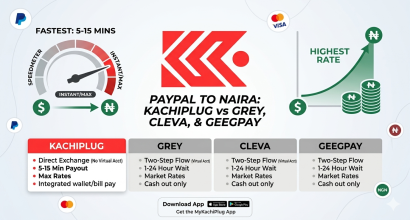
For direct PayPal-to-Naira conversion, KachiPlug is faster and more direct than Grey. Grey requires routing through a virtual US account first. KachiPlug converts PayPal directly to Naira in one step.
Does KachiPlug support all Nigerian banks?
Yes, KachiPlug sends Naira payouts to all major Nigerian banks including GTBank, Access Bank, Zenith Bank, First Bank, UBA, Kuda, Opay, and others.
What is the minimum amount I can exchange on KachiPlug?
KachiPlug accepts PayPal-to-Naira trades starting from as low as $5.
Which PayPal exchange platform pays the most in Nigeria?
KachiPlug consistently offers some of the highest PayPal-to-Naira rates in Nigeria. Its direct exchange model means no extra conversion spreads compared to indirect routes like Grey or Cleva.
Can Nigerian freelancers use KachiPlug to receive payments?
Yes. KachiPlug is widely used by Nigerian freelancers on Upwork, Fiverr, and Toptal who receive PayPal payments and need fast Naira payouts to Nigerian bank accounts.




&media=https://kachiplug.com/assets/images/frontend/blog/69f4ea30492f91777658416.jpg)